Business CCTV only earns its keep if it records the right thing, every time, and you can get the footage out when you need it. The installer you choose decides most of that. Here are nine questions to ask before you sign, and what a good answer sounds like.
Why the installer matters more than the camera
Most CCTV problems we’re asked to look at aren’t caused by a bad camera. They’re caused by a camera in the wrong place, a recorder that quietly stopped recording, or a system nobody knows how to use. Footage that’s too grainy to make out a face, a car park camera blinded by headlights, or a recorder that overwrote the one night you needed: all of those come down to how the system was planned, installed and looked after.
So when you compare quotes, compare the installers, not just the camera list.
1. Are you NSI approved for CCTV?
Anyone can buy cameras and fit them. An approval from the NSI (National Security Inspectorate) means the company’s CCTV work, staff vetting and processes are independently audited against the relevant British and European standards. Insurers, managing agents and larger customers often ask for it.
Ask to see the certificate and check the company on the NSI website. Make sure the approval covers CCTV, not just intruder alarms or fire.
SAFE’s NSI approval covers CCTV, so our CCTV work is independently audited. See why accreditation matters.
2. Will you survey the site and agree what each camera needs to see?
A good installer doesn’t quote from a floor plan or a phone call. They walk the site with you and agree, camera by camera, what you need to see and why:
- Detect: is someone there?
- Observe: what are they doing?
- Recognise: is that someone you know?
- Identify: could you show this to the police and name them?
Each level needs a different lens, resolution and position. A camera that’s fine for watching a yard won’t identify someone at a till. The standard for this is BS EN 62676-4, which sets out how to write an operational requirement, a plain statement of what the system has to do. Ask for something like it in writing.
3. Will the cameras work at night and in difficult light?
Lots of incidents happen after dark, so ask how each camera will cope:
- Infrared (IR) night vision for areas with no lighting.
- Wide dynamic range (WDR) for doorways and shopfronts where bright daylight sits behind a dark interior.
- Positioning away from headlights and floodlights, which can white out an image.
- ANPR (number plate recognition) cameras if you need plates logged at gates, barriers or car parks. A normal camera rarely reads plates reliably.
4. How long will footage be kept, and can I get it out quickly?
Ask how many days of recording the system will hold at the quality agreed, and how that was worked out. Storage on a network video recorder (NVR) depends on the number of cameras, the resolution and whether it records all the time or on motion.
Then ask how you’d export a clip if the police or your insurer asked for one. It should take minutes, not a call-out.
5. Can I see my cameras on my phone, securely?
Remote viewing on your phone, tablet or PC is now standard for business CCTV. What matters is how it’s set up:
- Every user has their own login, and default passwords are changed.
- Remote access is set up securely, not by opening up your network.
- Firmware is kept up to date as part of maintenance.
- Motion alerts go to the right person, and not so many that everyone ignores them.
6. Do you understand the data protection side?
Business CCTV records personal data, so UK GDPR applies. A good installer will help you set the system up with that in mind:
- Cameras aimed at your property, not neighbours or the street.
- Clear CCTV signs where cameras are in use.
- Sensible retention, so footage isn’t kept longer than you need it.
- Secure, password-protected recording and remote access.
Most businesses using CCTV need to pay the ICO data protection fee, and you stay responsible for how the footage is used. The ICO’s guidance on video surveillance is the place to check your own situation. An installer should help with the technical side but can’t take that responsibility from you.
7. Who will actually fit and maintain it?
Ask who will turn up. Will it be the company’s own engineers? Are they DBS checked if you run a school, nursery, care home or other sensitive site? Will the same team come back for maintenance and faults?
It also helps when one company can look after your fire alarm, intruder alarm, CCTV and access control together. You get one point of contact, one set of records and systems that can work together, such as cameras linked to your intruder alarm, or access control with fingerprint readers, phone-based access or video intercoms.
8. What happens after installation?
CCTV needs looking after. Cameras get dirty, knocked or overgrown, hard drives fail and recorders need updates. Ask:
- How often will the system be serviced, and what’s checked on each visit?
- Will I get a record of each visit? (SAFE customers see theirs in our customer portal.)
- What cover is there if a camera or recorder goes down?
- Can the cameras be monitored, so someone acts on what they see? SAFE can provide monitored CCTV through a remote video response centre. See alarm monitoring.
9. Can you work with what I’ve already got?
If you already have CCTV, you shouldn’t have to rip it all out. A good installer will tell you plainly what can stay, such as cabling, some cameras or the recorder, and what needs replacing, and why. Be wary of a quote that replaces everything without explaining it, and equally of one that keeps an old analogue system that can’t give you the images you need.
A quick checklist before you sign
- ☐ NSI approved, and the approval covers CCTV
- ☐ A site survey, with what each camera needs to see agreed in writing
- ☐ Night-time and difficult-light performance explained
- ☐ Recording time and how to export footage confirmed
- ☐ Secure remote viewing with individual logins
- ☐ Help with signs, camera positions and data protection basics
- ☐ The company’s own engineers, DBS checked where needed
- ☐ A maintenance plan with records you can see
- ☐ An honest view on what to keep from any existing system
What it looks like in practice: the Hollymoor Centre
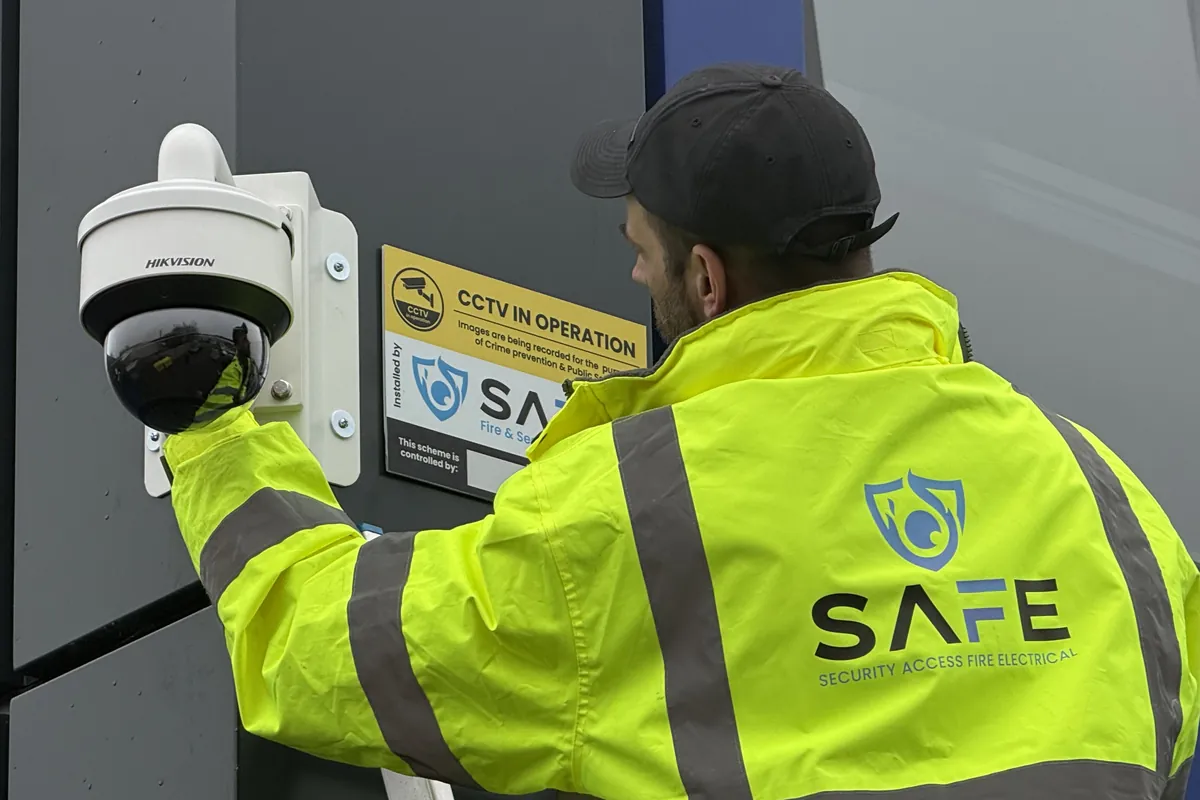
The Hollymoor Centre in Northfield, Birmingham, is a charity-run education centre with a nursery. After we replaced their fire alarm, the centre moved its systems across to us, and our engineers installed a new CCTV system of 32 Hikvision IP turret cameras across the site. We also look after the centre’s fire alarm, emergency lighting and fire extinguishers, so they have one team for all of it. Read the Hollymoor case study.
Commercial CCTV installers: your questions answered
What should I look for in a commercial CCTV installer?
Look for NSI approval that covers CCTV, a proper site survey with what each camera needs to see agreed in writing, the company’s own engineers, secure remote viewing, help with data protection basics and a clear maintenance plan.
Does a CCTV installer need to be NSI approved?
There’s no legal requirement, but NSI approval means the company’s CCTV work is independently audited against the relevant standards. Insurers and larger customers often ask for it, so it’s worth checking the certificate covers CCTV.
What’s the difference between IP and analogue CCTV?
IP cameras send a digital image over a network cable and usually give much sharper pictures, easier remote viewing and more flexible storage. Older analogue systems use coaxial cable. Some existing cabling can sometimes be reused when you upgrade, which a survey will confirm.
Can a CCTV installer take over my existing system?
Usually, yes. A good installer will check what you have and tell you plainly what can be kept, such as cabling or some cameras, and what needs replacing.
Do I need to tell people I’m using CCTV at work?
Yes. You should put up clear signs where cameras are in use, and most businesses using CCTV need to pay the ICO data protection fee. Check the ICO’s guidance on video surveillance for your situation.
How often should business CCTV be serviced?
It depends on the system and the site, but routine servicing should check that every camera is clean, correctly aimed and recording, that the recorder and hard drives are healthy and that the software is up to date. Your installer should agree a schedule with you and give you a record of each visit.
Does SAFE install commercial CCTV?
Yes. Our own experienced engineers design, install and maintain CCTV for businesses, schools and other commercial sites across Birmingham, the Black Country and the West Midlands. See our business CCTV installation page, or local pages for Halesowen and Dudley.
Get a CCTV system that does its job
Book a free site survey and we’ll walk your site with you, agree what each camera needs to see and give you a clear written proposal. No obligation and no hard sell.